Across sessions
The session picker can find sessions by what they did, and total them all.
Find
Press f in the picker to find sessions by a file they read or changed, a command they ran, or a prompt, subagents included.
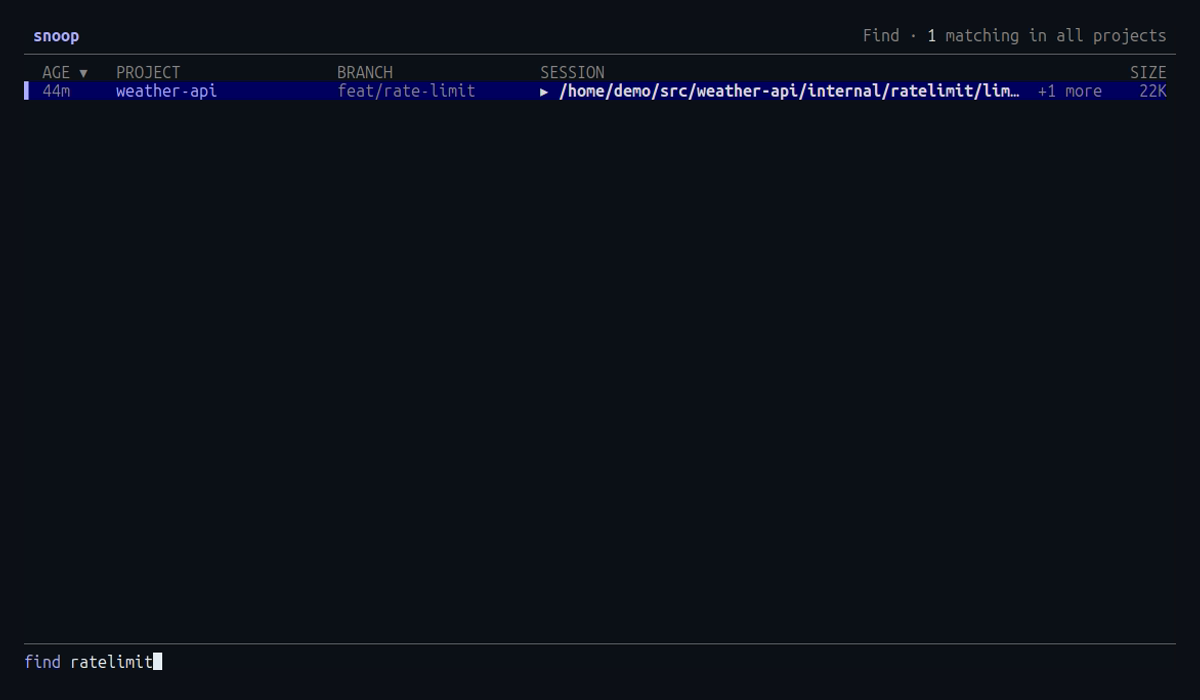
Every word you type must match the same file, command or prompt.
Each result shows the match, and +N more when there are others.
Press enter to keep the results, then enter again to open a session with its timeline searched for the same words.
Press esc to leave find.
Summary
Press s in the picker for a summary of the sessions listed: sessions, prompts, tool calls and their error rate, cost and tokens, a daily cost chart for the last 30 days, and the top tools, skills, MCP servers, subagent types and models.
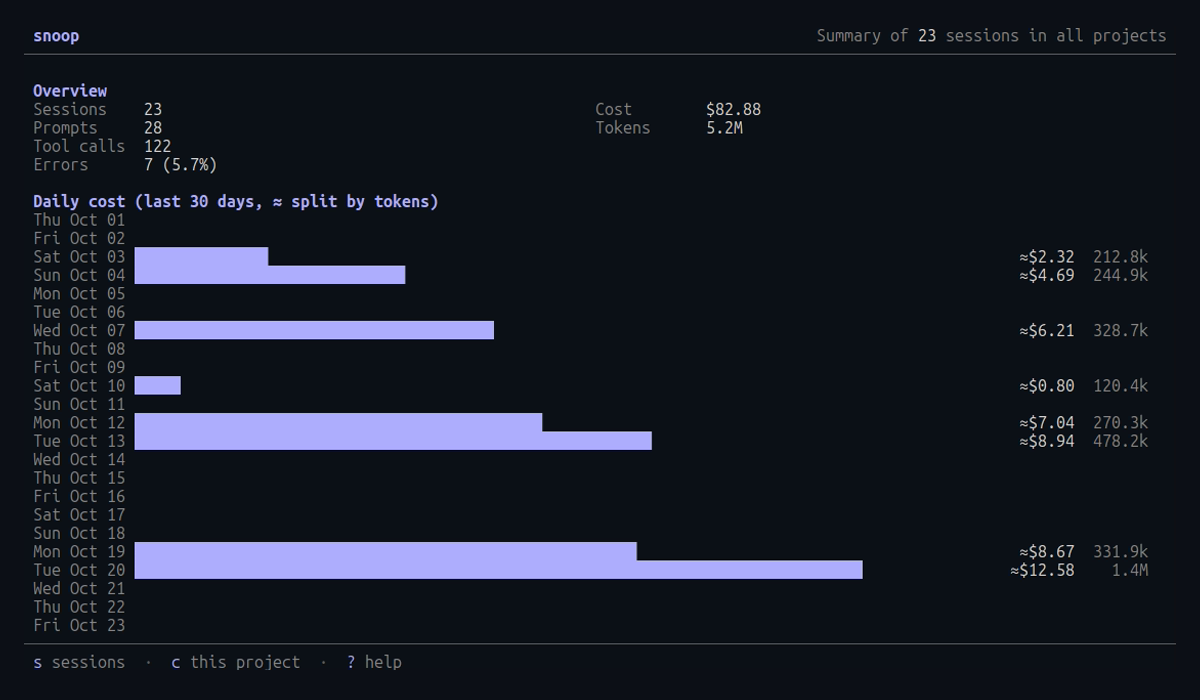
The summary follows the picker’s filters: c for this directory only, and the / search.
Press s again to return to the list.
Indexing
Find and the summary share a background scan.
The first scan parses every transcript and shows its progress in the header (scanning 12/48).
Results are cached, so later scans only check which files changed.
See What snoop reads and writes for where the cache lives.