Keep an eye on your agents
Monitor your AI agents in real time. Follow active sessions from a second terminal or inspect past sessions to understand costs, file changes, and time spent. It reads existing agent transcripts, with no modifications and no data leaving your machine.
It supports Claude Code sessions only.
curl -fsSL https://jzills.github.io/snoop/install.sh | sh
It runs on macOS, Linux and Windows, and you can also install it with
brew install jzills/tap/snoop, npm install -g snoop-cli
or pipx install snoop-cli.
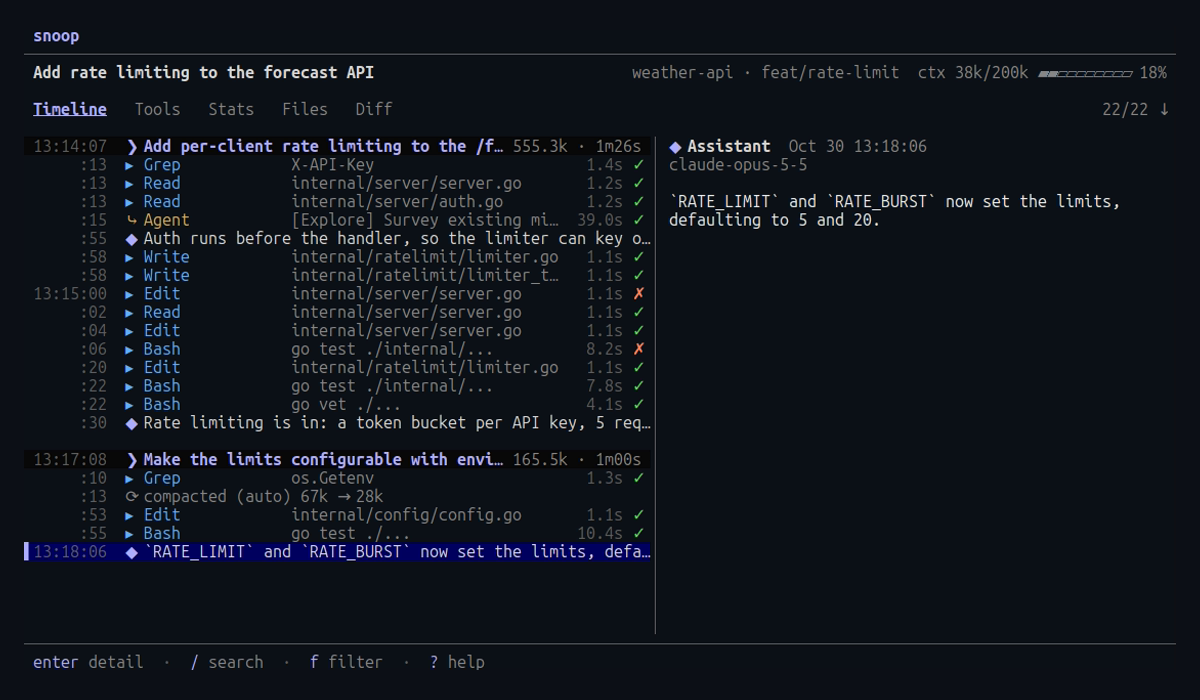
Follow a session live
Run snoop --follow beside claude. Every prompt, reply and tool call appears as it happens, with diffs and results in full.
Cost and context
Each prompt shows its tokens, estimated cost and duration, and a waterfall shows where a turn’s time went.
Know who needs you
The live board shows which sessions wait on a permission prompt, and --notify sends a desktop notification.
See into subagents
Press x on an Agent call to expand its subagent’s work under it, live while it runs.
Review and comment
The Diff tab shows what the session changed, and comments you leave on a line reach the agent on their own.
Find any session
Find past sessions by a file they changed, a command they ran or a prompt, and total what they cost.
Who needs you now
When you run several sessions at once, the live board shows each one’s state: waiting on a permission prompt, your turn, or still working. Desktop notifications name the session and what happened, so you can work elsewhere and come back when it matters.
Read about the live board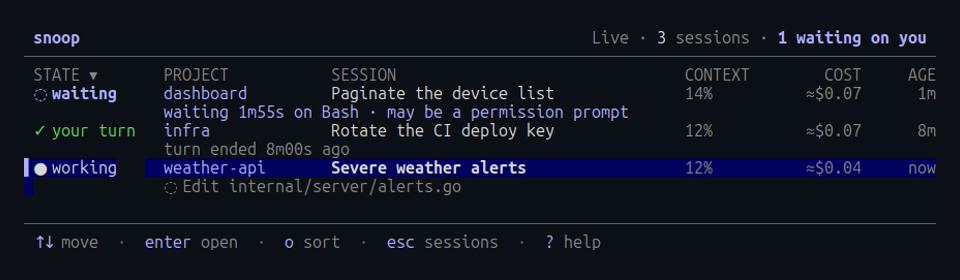
Every file an agent touched
The Files tab lists every file the session and its subagents read, edited or wrote, with lines added and removed. Step through a file’s history one diff at a time, or jump to the call that made a change.
Read about files and diffs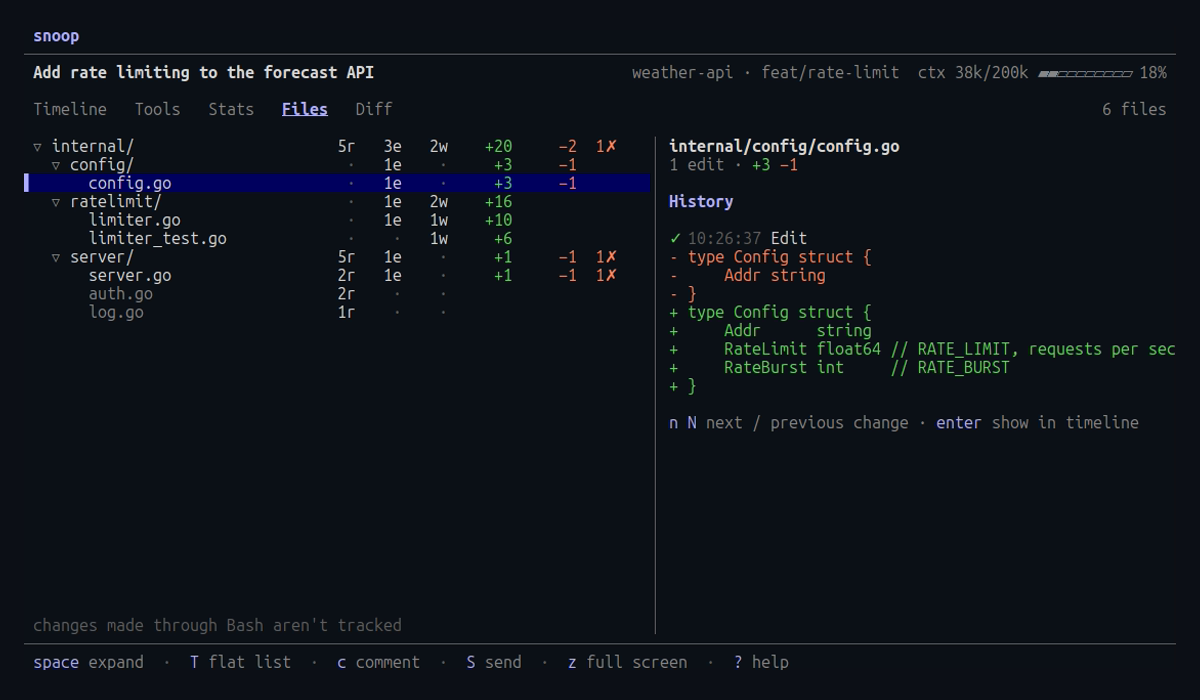
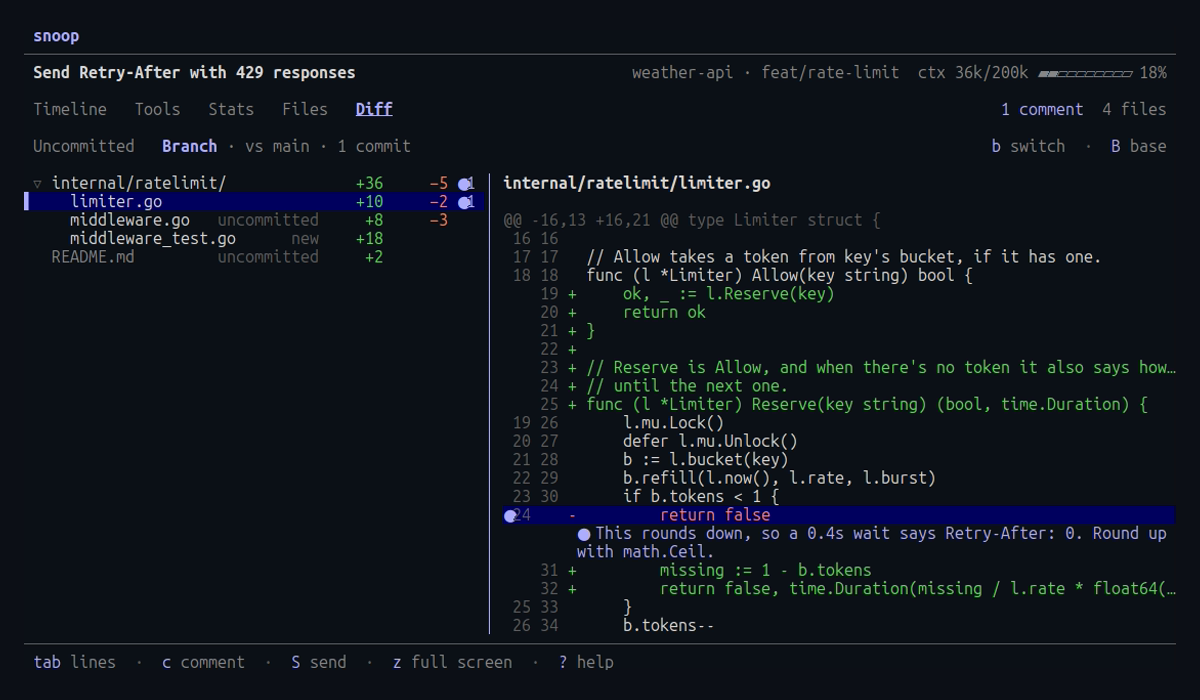
Reviews in the loop
The Diff tab shows what the session changed in its working tree.
Comment on a line, a range or a whole file, and press S
to send them all.
While the agent is working, it sees your comments after its current
tool call, so you never type into its terminal.
Running snoop hooks install once sets up the hooks that
deliver them.
Install snoop
It’s a single binary with nothing to configure. Run snoop to pick a session.